LIVE · SHIPPING WORLDWIDE
FREE SHIPPING OVER $60
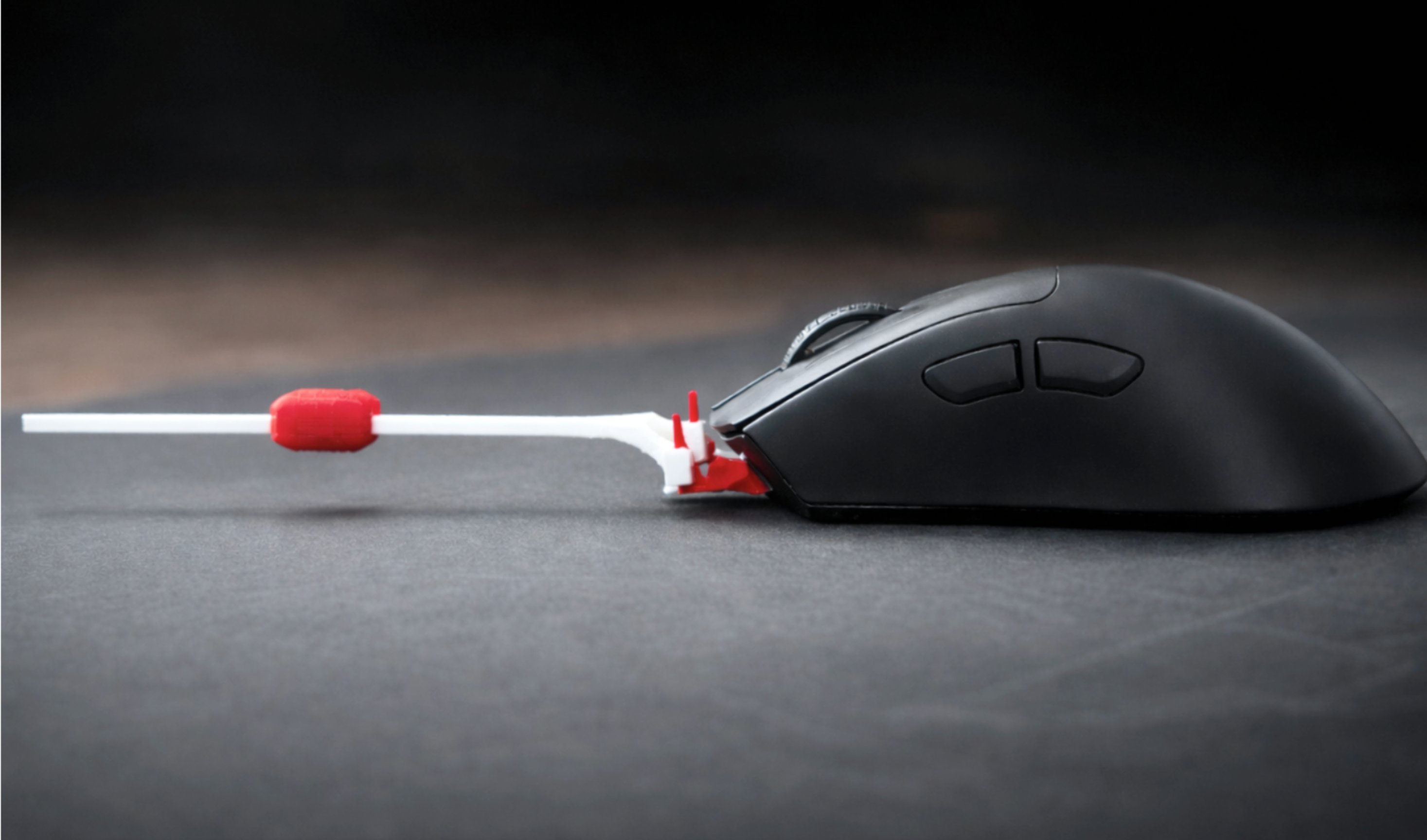
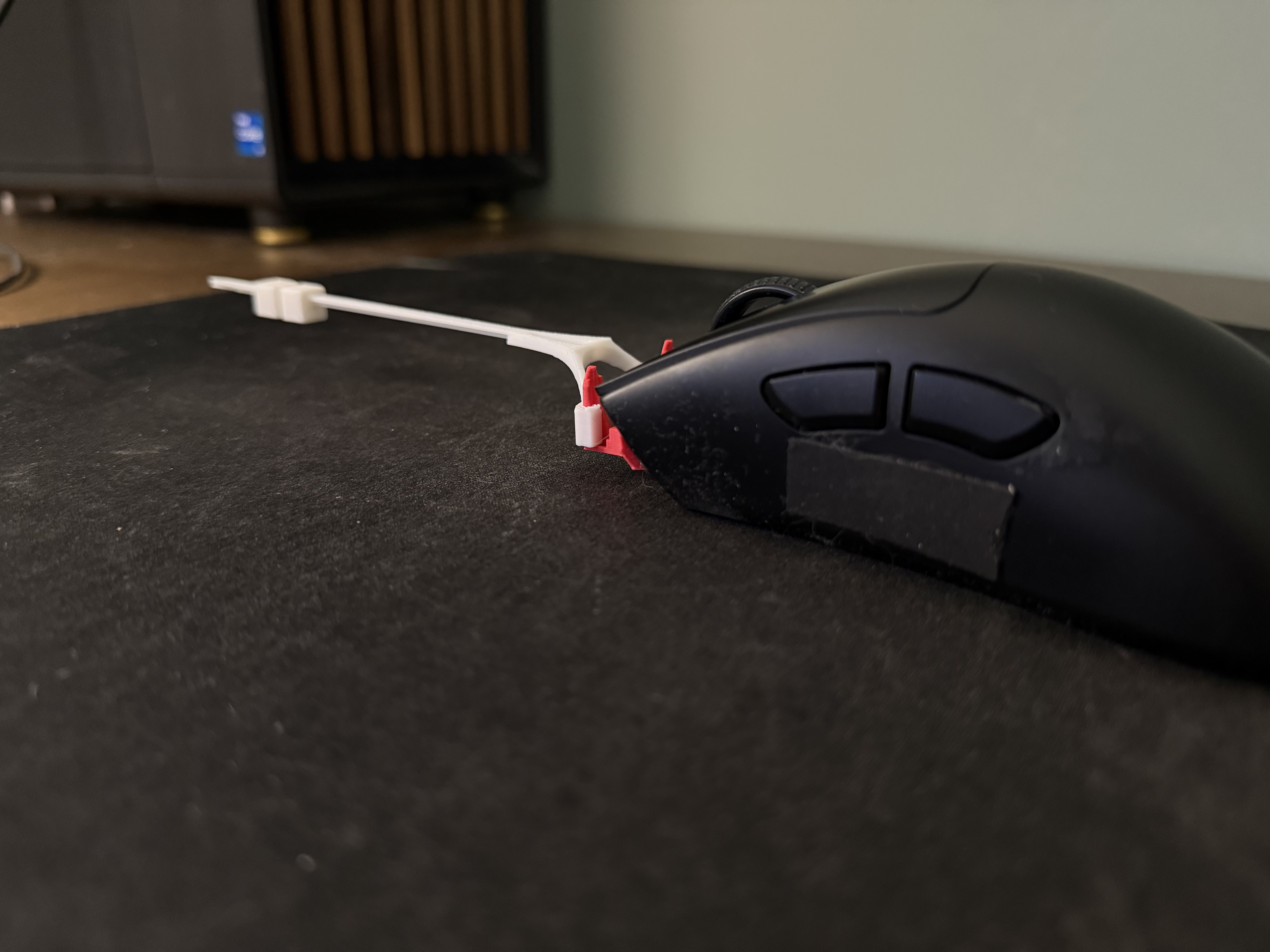
Vekko MK—I stabilizer installed on gaming mouse
VEKKO · PRECISION · MK—I
01 / PRECISION STABILIZER MK—I · 2026
精密ゲーミング用
精密ゲーミング
Precision Stabilizer · MK—I

Stabilize your aim. Increase precision.

A precision stabilizer for competitive gaming mice. Steadies aim. Dampens jitters. Under three grams.

重量
Weight
<2g
調整可能
Tunable
3-way
対応機種
Fits
40+
Precision Stability Control Tournament-ready Precision Stability Control Tournament-ready
仕様 02 / Specifications

The numbers that actually matter. Everything else we left off the page.

01
Added weight

Lighter than a grip-tape kit. Your main feels exactly as fast as it did yesterday.

<2g
02
Tunable

Slide the counterweight along the arm to match your grip. Three-position feel: tip, mid, or removed.

3-way
03
Mice supported

Razer, Logitech, Zowie, Pulsar, Lamzu, Finalmouse, Endgame Gear and more.

40+
Vekko stabilizer detail view
三軸可動式ヒンジ
仕組み 03 / How it works

A counterweight arm that moves with you — not against you.

Vekko MK—I clips onto the front of your mouse and extends a light counterweight out ahead of it. That small forward mass acts on a lever, which increases rotational inertia while leaving lateral inertia almost untouched. The result: steadier aim and cleaner micro-corrections, with the same fast, twitchy mouse feel you already trust.

01
Mount pads stay on your mouse

Apply once. Adhesive pads weigh about a gram and are designed to stay put — not for repeated removal. Your mouse barely knows they're there.

02
Lever clicks on and off anytime

Snap the lever into the pads to enter "aim mode." Pop it off to use your mouse naked. Zero friction, no tools, no re-gluing.

  1. One-time pad install — permanent-feel mount, 1 g added to the mouse shell
  2. Lever attaches & detaches by hand in a second, no tools or adhesive
  3. Three-axis ball-joint hinge moves with your grip, not against it
  4. Field-tunable counterweight tip — dial in the feel you want
調整 Three configurations · Tune the feel

Not sure how much is too much? Start subtle. Move the weight as you go.

Config A Max

Weight at the tip

Strongest effect

Leverage is maximized — the same small mass out at the end of the arm produces the biggest rotational resistance. Best for aim-focused play where you want noticeable stability.

Config B Mid

Weight slid inward

Balanced

Slide the weight closer to your mouse to shorten the effective lever. Less rotational resistance, same light mouse feel — a middle ground if max feels like too much.

Config C Min

Lever only, no weight

Subtle

Remove the weight entirely and keep just the arm. The most subtle effect — adds a touch of angular dampening without changing your mouse feel in any meaningful way.

比較 04 / How it's different

Not every way to improve aim feels the same on your mouse. Here's the difference.

Option A 01

Use a heavier mouse

Adds weight everywhere.

Increases both lateral and rotational inertia. Small movements feel more stable — but so does everything else. Flicks slow down. The mouse feels sluggish.

Trade-off
Option B 02

Add Vekko MK—I

Stability without drag.

The lever arm adds resistance to rotational movement while barely changing lateral inertia. Your mouse stays fast and light. Jitter calms down. Flicks land where you sent them.

Our approach
Option C 03

Use a slower mousepad

Adds friction always.

Increases drag against every movement in every direction, all the time. Constant resistance. You can adapt, but it's brute-force — you're fighting the pad as much as your aim.

Trade-off
対応

Works with most gaming mice. Requires a front face at least 4 mm tall with an upward slope. Confirmed compatible with Razer, Logitech, Zowie, Pulsar, Lamzu, Finalmouse, Endgame Gear and 40+ others.

See full list →
05 / Note from the workshop

We built Vekko because the gap between what you aim at and where you click is measured in millimeters — and decided by your hand, not your mouse. MK—I closes that gap without adding weight, latency, or compromise.

— VEKKO ENGINEERING